
By Ema Katiraee, Certified Dubsado Specialist
TL;DR: Dubsado gives you two ways to present pricing in a proposal: package proposals that let clients choose from multiple options, and quote-like proposals that show a single custom quote.
Package proposals are faster to set up, work better with automation, and create more opportunities for upselling. Quote-like proposals work well for highly custom services but take more time to prepare.
Dubsado proposals are more flexible than most people realize. Here's how the two main approaches work and when each one makes sense.
Package Proposals
A package proposal lets you include as many packages as you want. You can set up the proposal with main offers and add-ons so clients can choose exactly what they need.
When building your proposal, you can decide whether clients can select only one package or choose multiple. You can also allow them to pick quantities for certain items, such as the number of hours or products.
Anything selected by the client will be added to their invoice automatically.
How to Create a Package in Dubsado
Before you can build a package proposal, you'll need packages set up in your account. If you haven't built yours yet, here's the full walkthrough on how to create packages in Dubsado.
How to Add a Package to a Proposal
Once your package is ready, go to the proposal:
Open your proposal in Forms → Form Templates
Add a Package element to the form
Select your package from the dropdown menu
Use smart fields to display package information
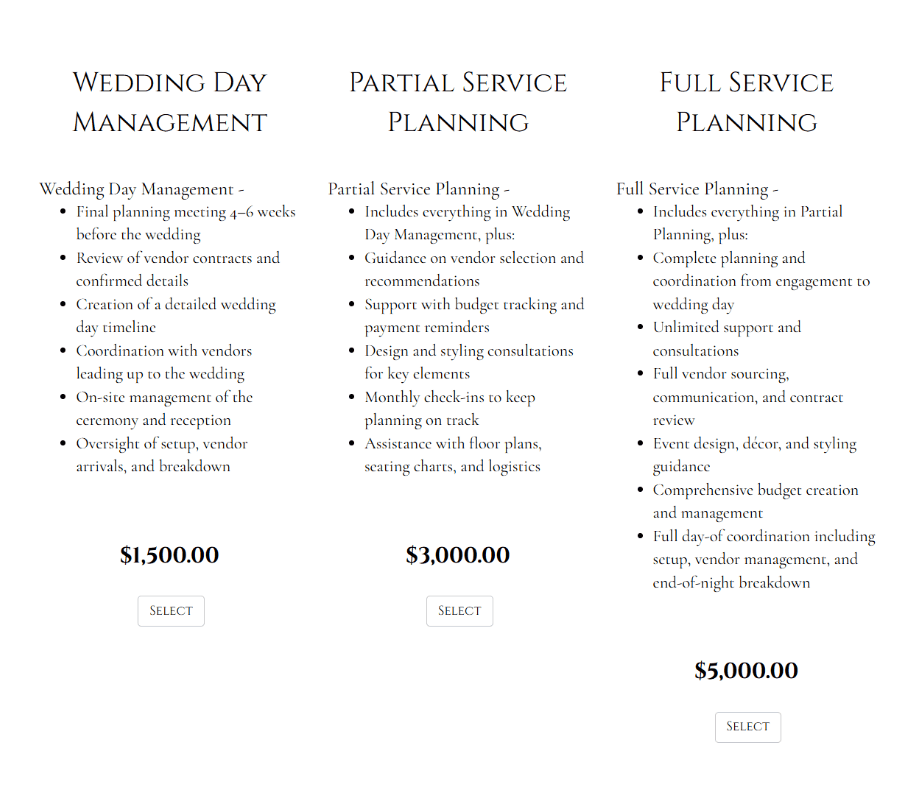
How a package proposal looks like in Dubsado
Common Package Smart Fields:
{{package.name}}– Package name from the template{{package.items | invoiceTotal : false | currency}}– Total price with tax{{package.items | invoiceTotal : true | currency}}– Total price without tax{{package.items | invoiceTaxTotal | currency}}– Tax total{{package.items | packageItems}}– Item names and amounts in an invoice style{{package.items | packageItemNamesDesc}}– Item names and descriptions. The description will appear in bullet point form if toggled on in the package settings.{{package.items | packageItemNames}}– Item names only
You can also add:
Quantity boxes so clients can choose an amount. You can set a minimum / maximum amount in the package settings
Large or small checkboxes to select a package
Buttons for easy selection
Important: Always give clients a way to select their package via a button, quantity box or checkbox, or they will not be able to continue.
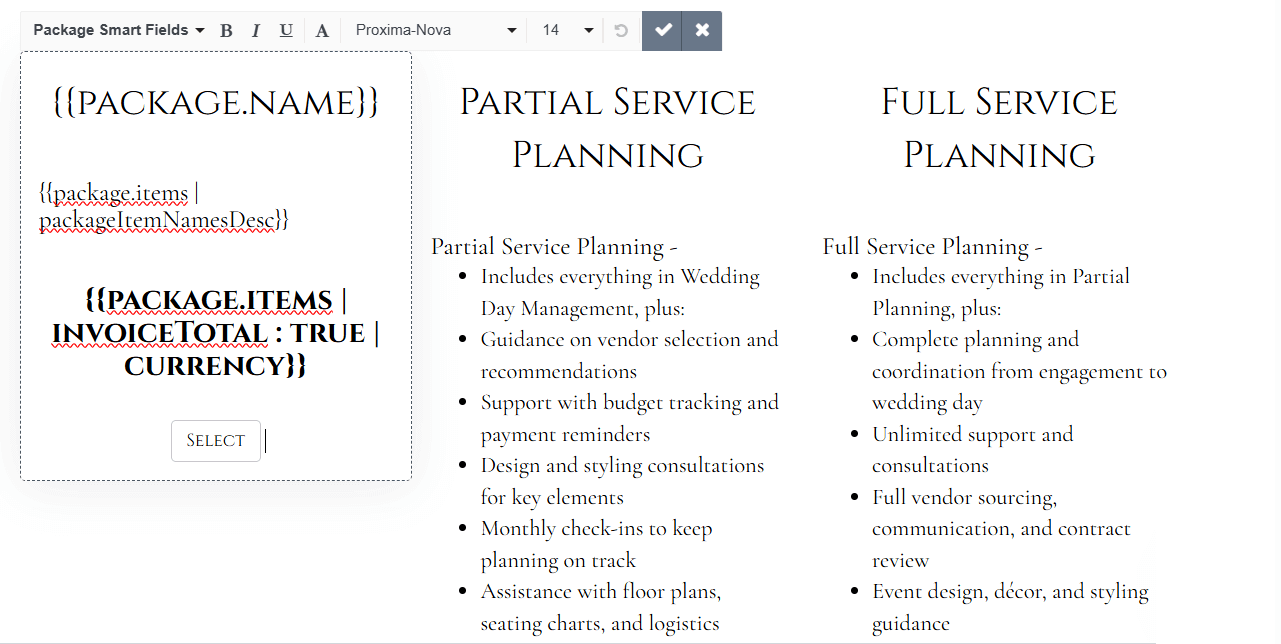
Smart fields used in a proposal to display the package information
Quote Like Proposals
A quote like proposal shows a custom quote for one specific client. You add items to an invoice first, then display it inside the proposal using invoice smart fields.
This works well when you want to present exactly what you discussed with the client, without giving them multiple package options.
Important: If you go back and forth with the client editing the invoice/quote before the client submits the proposal, the changes will display in the proposal immediately. Dubsado does not save older versions of the form, so you will not have a paper trail of the changes in Dubsado. If you need a record, download the proposal as a PDF before making changes.
How to Create a Quote Like Proposal in Dubsado
To create a quote like proposal, in Dubsado:
Go to Forms → Form Templates and create a new proposal or open an existing one
Add a Text Box to the form (not a package element)
Inside the text box, add your custom quote details with invoice smart fields:
Custom Quote for {{client.firstName}}
Date of Quote: {{curDate | mediumDate}}
This proposal is valid for 30 days from the date of quote
{{job.invoice | packageItems:true}}
Subtotal: {{job.invoice | subtotal}}
Tax Total: {{job.invoice | invoiceTaxTotalFormatted}}
TOTAL: {{job.invoice | total}}
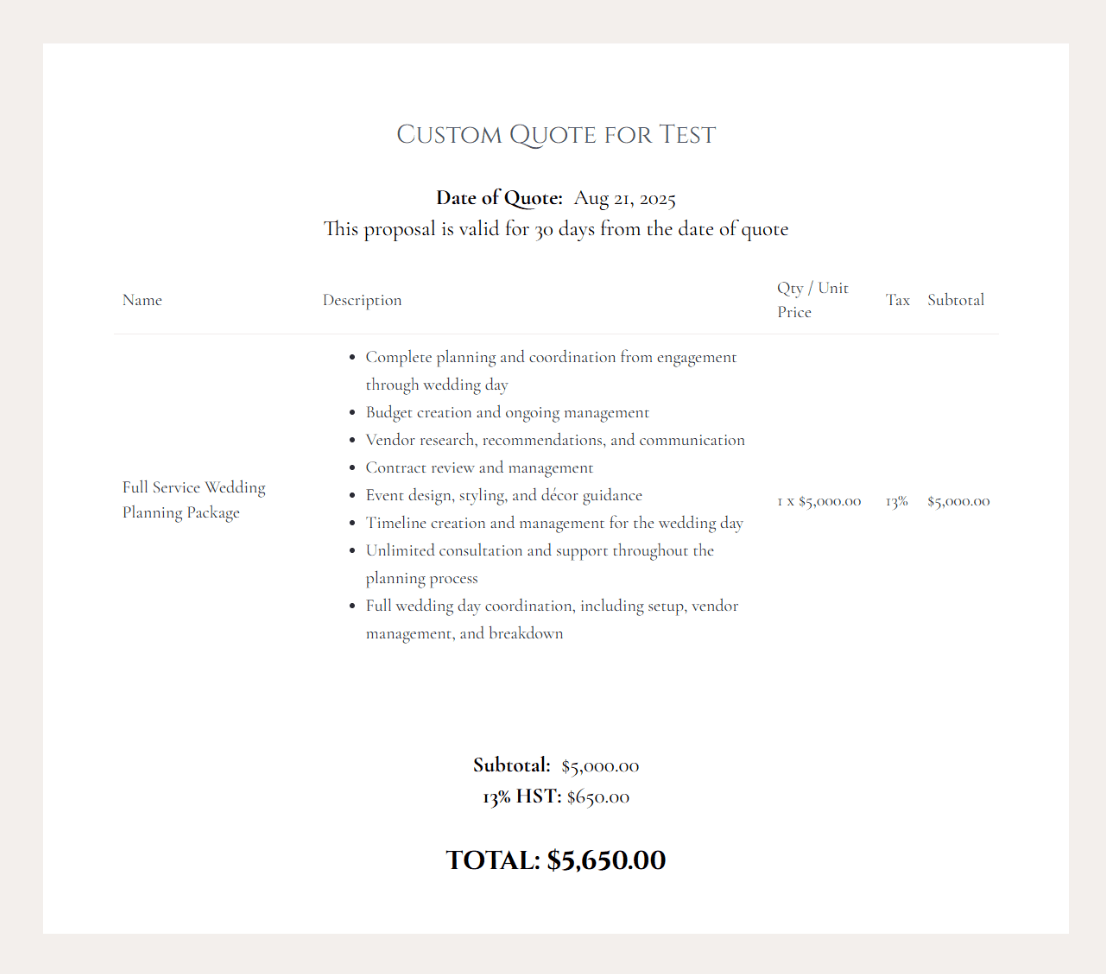
How a quote like proposal looks like in Dubsado
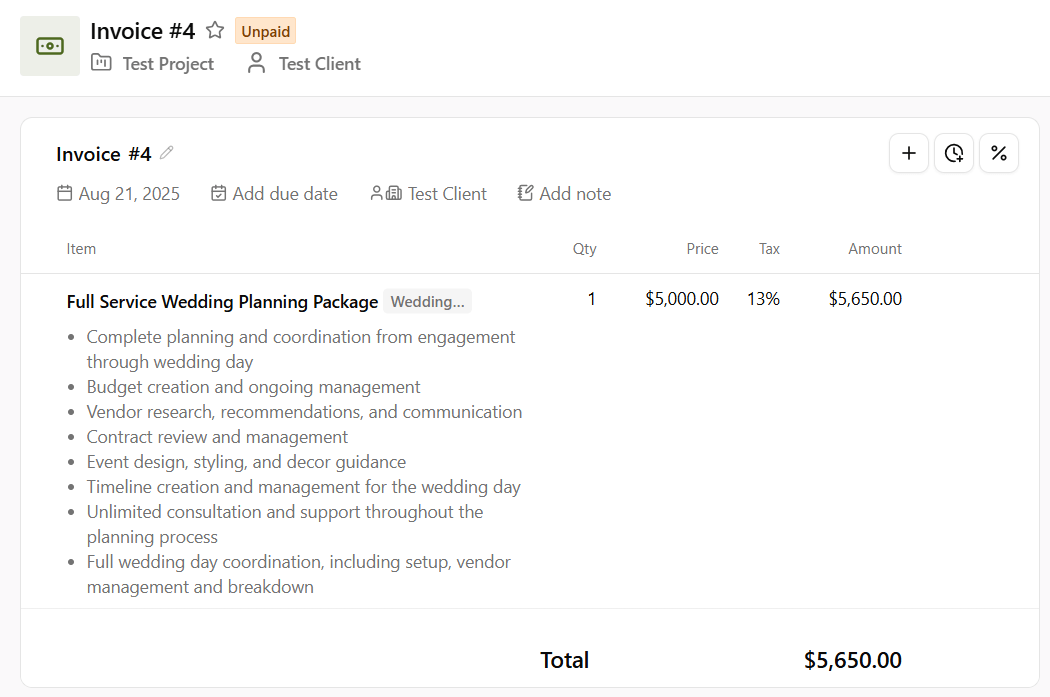
The proposal pulls information from the projects primary invoice
Common Invoice Smart Fields:
{{job.invoice | total}}– Invoice total with tax and discounts{{job.invoice | subtotal}}– Total before taxes and discounts{{job.invoice | invoiceTaxTotalFormatted}}– Tax total{{job.invoice | packageItems:true}}– Item names and amounts in invoice format{{job.invoice | invoiceItemNamesDesc}}– Item names and descriptions. The description will appear in bullet point form if toggled on.{{job.invoice.items | packageItemNames}}– Item names only
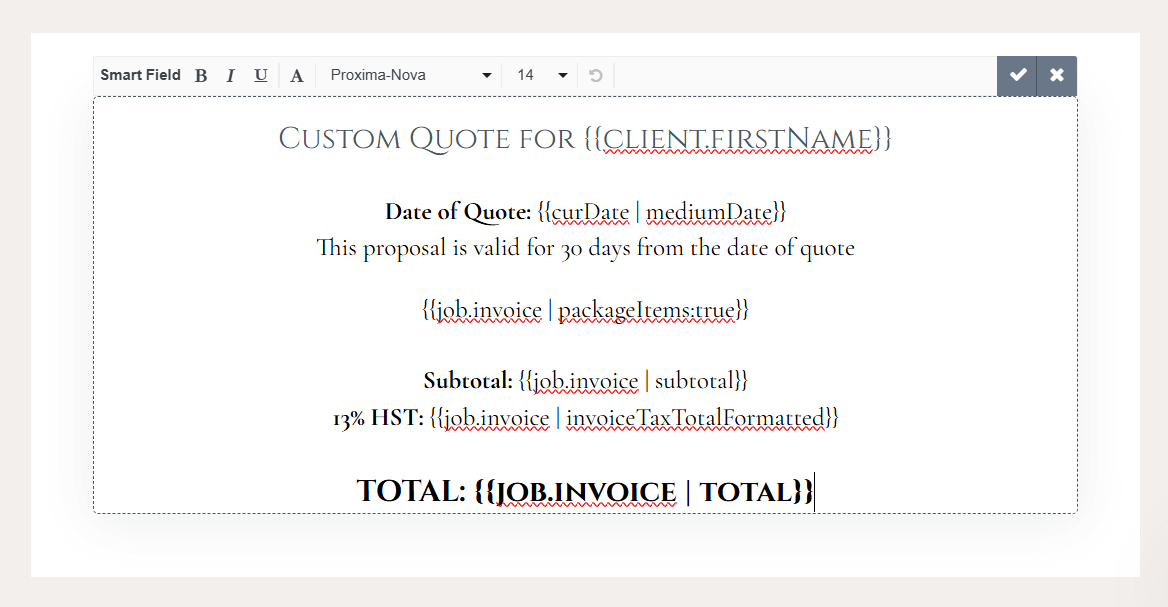
Smart fields used in a proposal to display the invoice information
Package Proposal vs Quote Like Proposal: Pros and Cons
Package Proposal Pros:
Gives clients flexibility to choose what they want
Lets you include add-ons to increase total sales
Requires fewer edits before sending, which saves time
Package Proposal Cons:
Some business owners assume package proposals feel less personal or custom, but that's not necessarily true. With the right design and copy, a package proposal can feel just as tailored as a custom quote while saving you significant time.
Quote Like Proposal Pros:
Shows exactly what you discussed with the client
Quote Like Proposal Cons:
Fewer opportunities to upsell with add-ons
Can take more time to prepare
Limited automation options if you go back and forth with edits
My Recommendation
I encourage clients to use package proposals whenever possible, even for highly custom or white-glove services. They save time, create opportunities for upselling, and work well with Dubsado’s automation features.
Tutorial: How to Create Quote Like Proposals in Dubsado
Below is a tutorial to take you through how to create quote like proposals in Dubsado and how to customize packages in your proposals in Dubsado.
Ready for a Dubsado Setup?
If you've been building custom invoices from scratch for every client, packages are going to change how you work. And if you want your entire proposal and booking process set up properly in Dubsado, book a discovery call and let's make it happen.