

By Ema Katiraee, Certified Dubsado Specialist
TL;DR: A booking workflow in Dubsado automates the proposal, contract, and invoice process without taking away your ability to personalize things before they go out. It follows up automatically if a client hasn't submitted, holds the next steps until the contract is signed and payment is in, and kicks off your onboarding workflow once everything is complete. Here's how to build it.
Booking clients is a critical phase in your client process so it’s important to design it correctly. Dubsado can really help simplify the process for clients and yourself, by automating follow ups and saving you time.
Similarly to inquiry workflows- regardless of what niche you are in, chances are that your booking workflow will be similar to what I’m sharing below.
I’ve created workflows for people in many different industries: coaches, photographers, interior designers, wedding planner, and more - and this workflow is very similar across all industries.
Benefits of Using a Booking Workflow in Dubsado
The benefits of a booking workflow are:
Automating the process of sending a proposal, contract and invoice - while still maintaining the ability to make edits and personalize content before sending it out.
Automating the process of following up with clients if they have not submitted the proposal in a certain number of days.
Holding subsequent tasks in the workflow - like beginning onboarding - until certain requirements are met: contract signed, invoice paid.
The ability to attach a payment plan to the workflow so that it is checking for the right invoice installment to be paid.
Kickstarting another workflow - like an onboarding workflow - once all conditions are met.
When to Use a Dubsado Booking Workflow
Who is this type of workflow best for?
A booking workflow like one being shared here is best for:
People who send proposals after verifying that their leads are a good fit for their services - after they've submitted a form or had an initial call.
People who send out custom proposals.
Steps of a Booking Workflow in Dubsado:
Once your packages, proposal, contract and canned emails are ready in Dubsado, you can build this workflow in Dubsado:
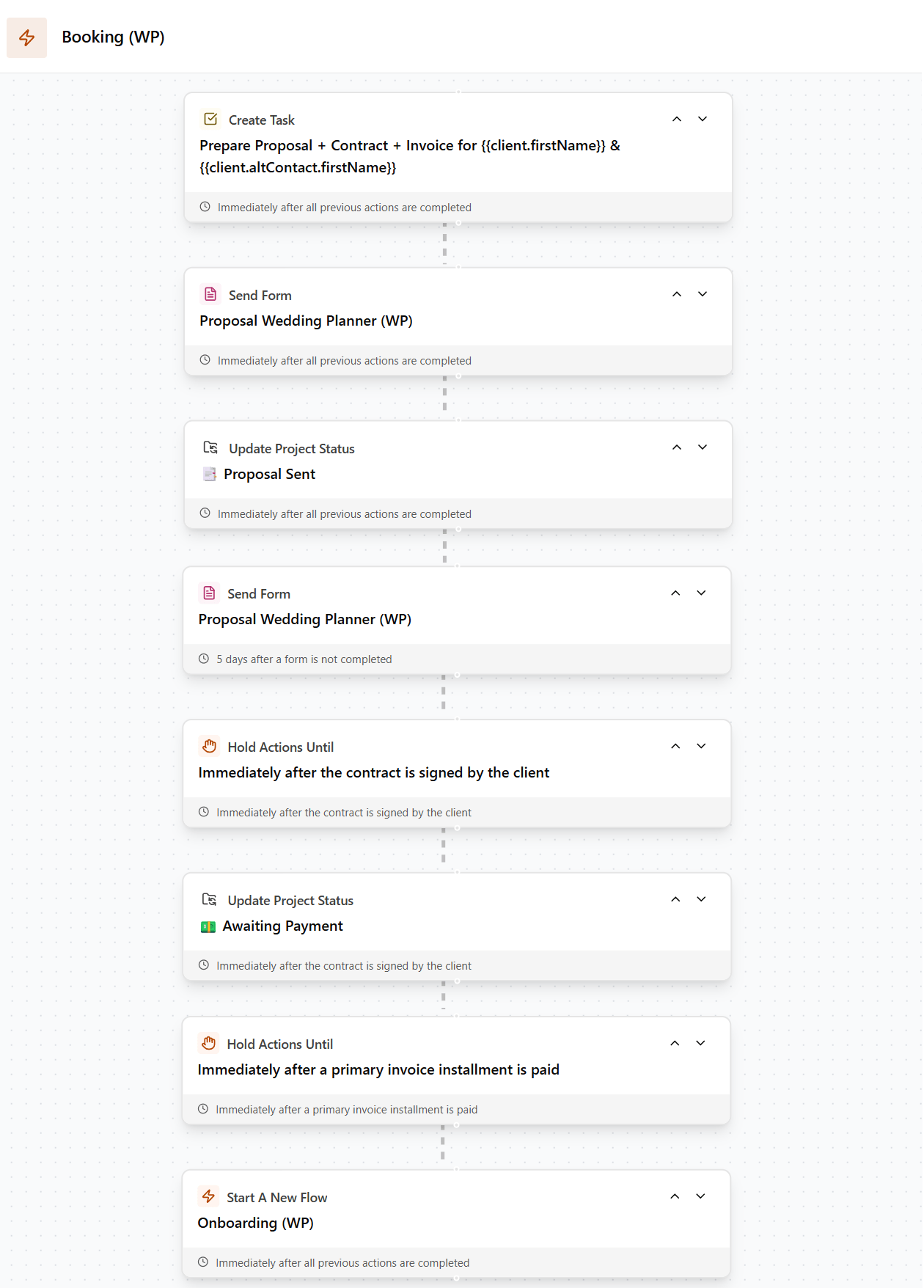
Steps of a Booking Workflow in Dubsado
Step 1 - To-Do: Edit Proposal, Contract, Invoice and Email if needed
A to-do will hold the next task in the workflow until you check it off. I prefer using it vs. approvals because it doesn’t time out after 3 hours, which is what happens with approvals.
It’s placed at the start of the workflow to allow editing the proposal, contract or invoice before sending out (like customizing any wording, customizing the invoice or packages for this particular client).
Once the workflow is applied to a project, the proposal, contract and invoice will appear automatically in the clients project - you don’t need to apply them to the project. Open the proposal or contract in the clients project, and make any needed edits. Then edit the email in the next step of the workflow to personalize it.
Once done, check off the to-do and it will send the proposal out to the client.
Tip: if you want to make sure you don’t forget, you can toggle on the email reminder at the bottom, so Dubsado sends you an email with the text of the to-do.
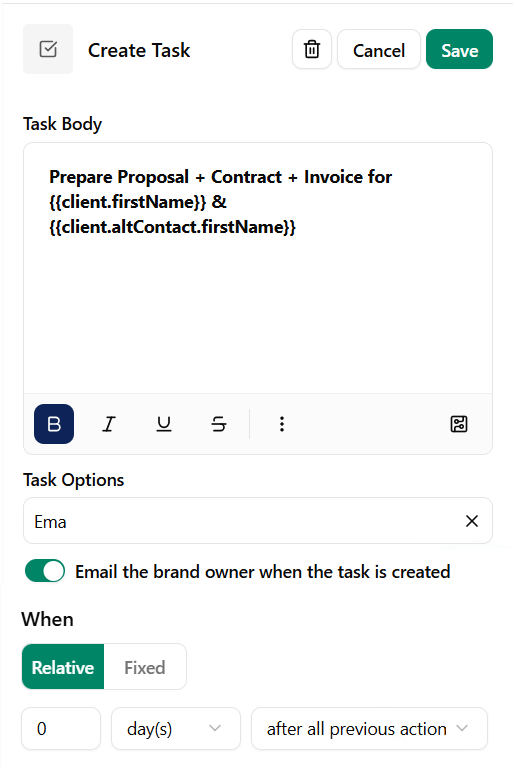
To-do action in a Dubsado workflow
Step 2 - Send Proposal (with Contract + Invoice)
This step sends the proposal form using a canned email selected from the email template list.
If the contract and invoice are attached to the proposal, it will send all those documents as a 3 in 1 proposal form. But you don’t HAVE to send the proposal as a 3 in 1 form.
Tip: set an expiration date in your proposal, so it expires X days after it’s applied to the project. In this case it would be X days after the booking workflow has started. Because this workflow sends reminders, you don’t need to set reminders inside the proposal form.
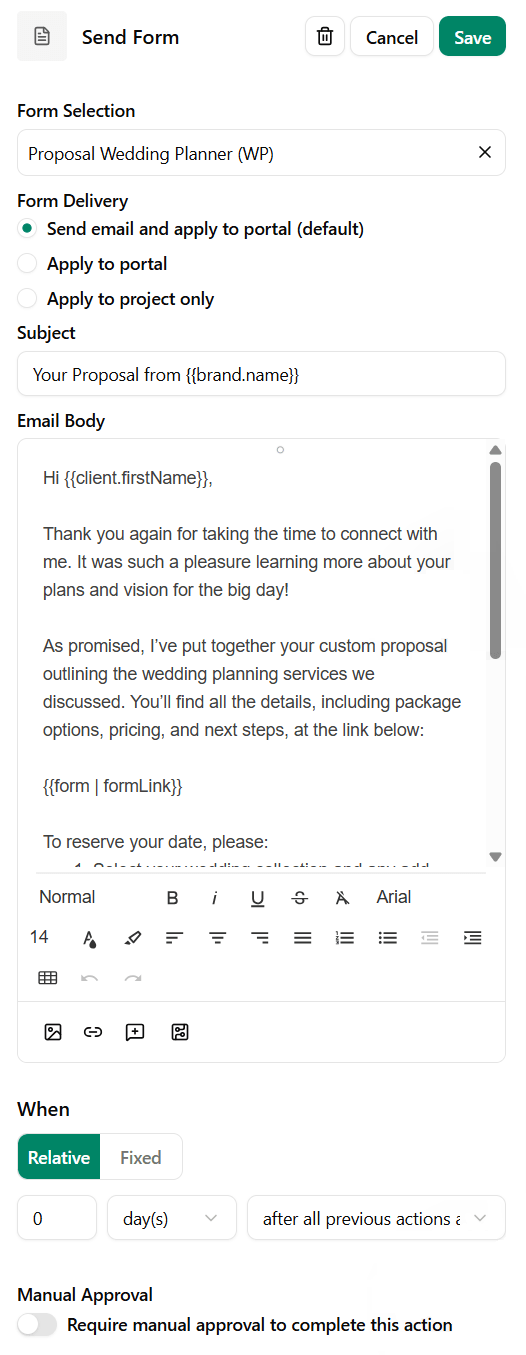
Send a proposal via workflow
Step 3 - Change Project Status to 'Proposal Sent'
Once the proposal is sent, the project status will change to ‘Proposal Sent’ or a status that you prefer.
Create your project status first, so you can select it in the workflow. I have a status called ‘📩 Proposal Sent’ so I can visually see who has an active proposal.
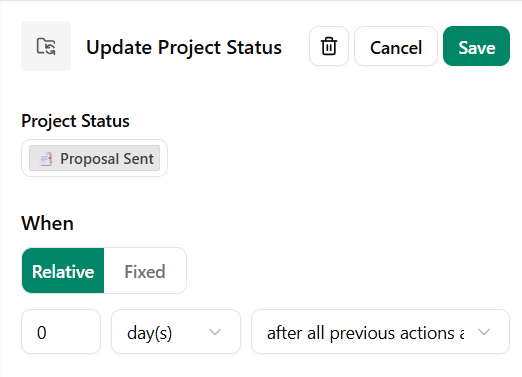
Change project status in a workflow
Step 4 - Send Reminder Email to Fill Out the Proposal
If the proposal has not been submitted, Dubsado will follow up with them and send them the same proposal form again using a canned email that you choose from your list of emails.
You can set this reminder to go out however many days you want after the proposal was initially sent AND not submitted. Don’t worry, if someone already submitted their proposal, they will not get this reminder.
📌Note: You can send additional reminders, just know that this is where Dubsado get finicky. The reminders have to be in increasing number of days (or hours), meaning:
First reminder X days
Next reminder X+1 days (or more)
So you can’t send a reminder 3 days after you first sent the proposal, and then send a reminder 3 days after that. It needs to be 3 days after you first sent the proposal, and then 4 days after that.
Weird, but it’s just how Dubsado works.
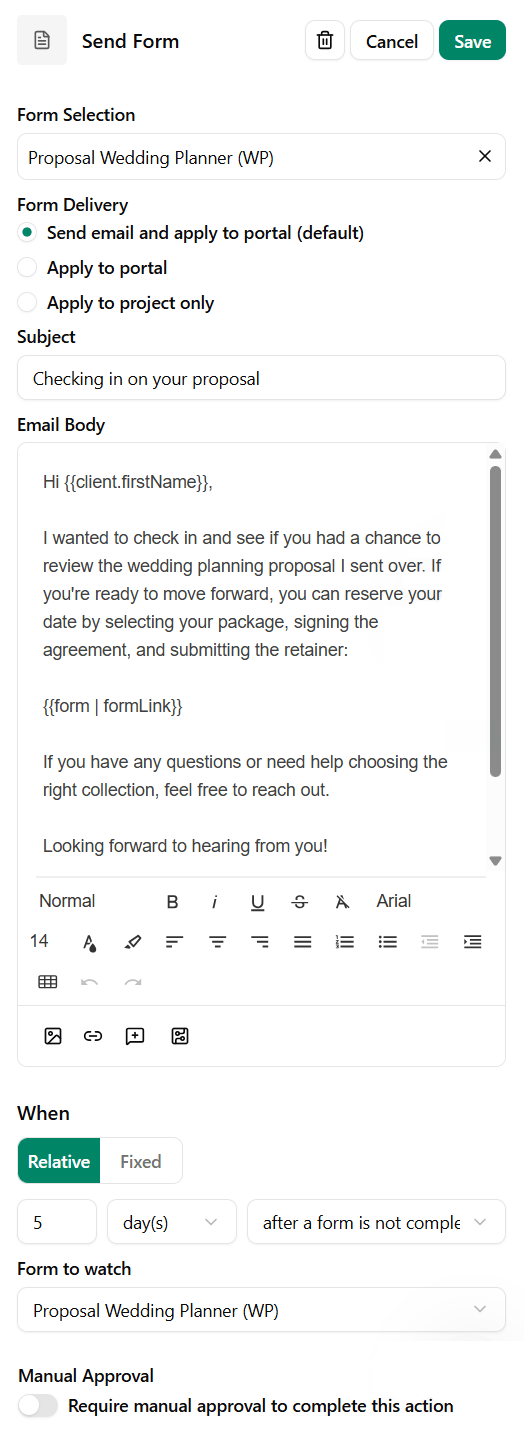
Send an automated reminder to complete a proposal
Step 5 - Hold Actions Until Contract Signed
This is a way of preventing the workflow from continuing until the contract is signed.
Once a contract is signed, Dubsado automatically sends them an email letting them know their contract is signed. So that step doesn’t need to be added to workflows, but you can edit the email inside the Messages section under Default templates → Contract Completed.
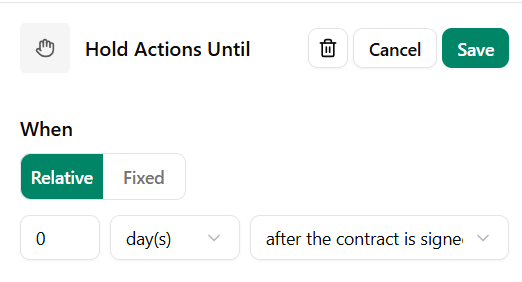
Hold action until contract signed
Step 6 - Change Project Status to 'Awaiting Payment'
Once the contract is signed, the project status will change to ‘Awaiting Payment’ or a status that you prefer like ‘Contract Signed’.
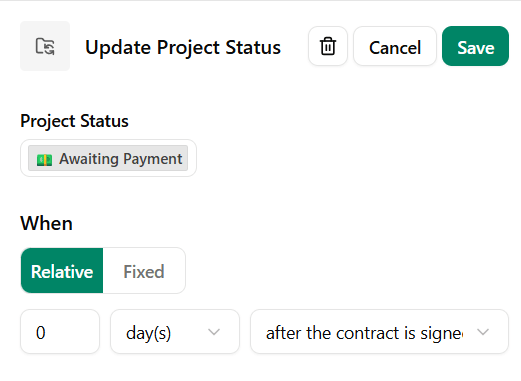
Change the project status in Dubsado after the contract is signed
Step 7 - Hold Actions Until Invoice Installment Paid
This is a way of preventing the workflow from continuing until the invoice is paid:
If the invoice needs to be paid in full, select ‘invoice paid in full’
If the invoice only needs to be partially paid, FIRST attach the payment plan you want this proposal to follow at the top of the workflow. Then you can select the invoice installment in the workflow action.
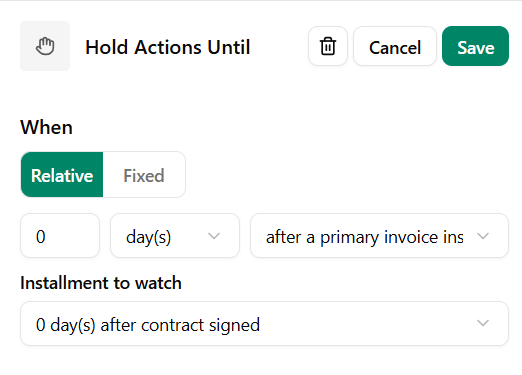
Hold action until invoice is paid
Step 8 - Start Next Workflow
This lets Dubsado know that it can start the workflow you select from the dropdown list as soon as all the previous tasks have been completed / requirements met.
It’s a great way of keeping your onboarding and booking workflows separate, in case someone receives a proposal from you but doesn’t move forward.
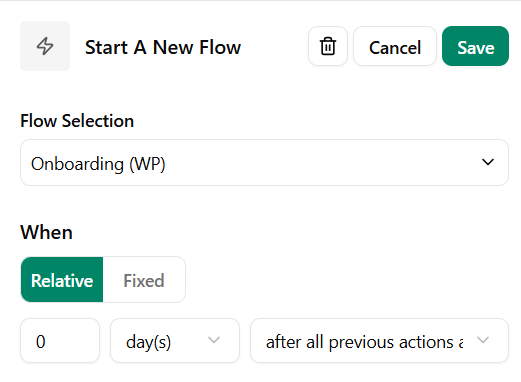
Start the next workflow
How to Trigger a Booking Workflow:
Automatically via another workflow:
If you have an inquiry workflow, you can add a to-do after you receive a lead capture form or after you have a discovery call - checking that they are a good fit for your services.
Once you confirm that they are a good fit, you can check off the to-do and start the booking workflow.
Manually:
Once you have a discovery call or check a lead capture form and decide that they are a good fit for your services, manually apply the workflow to the project
To manually start a workflow:
Go to the clients project
Go to the Flows tab
Click Start a Flow and select the booking flow from the dropdown menu
Click Start flow
Building Out Your Full Workflow?
Booking is one part of a larger automated process. For the complete step-by-step breakdown of building a Dubsado workflow from start to finish, see the full guide here.
Want Your Dubsado Workflows Built for You?
If your booking process still has manual steps you're pushing yourself, a properly built workflow fixes that. Book a discovery call and let's talk about getting your entire client process running the way it should.