
Dubsado Flows vs. Workflows: What Changed in 3.0 and What Stayed the Same
By Ema Katiraee, Certified Dubsado Specialist
TL;DR: Dubsado 3.0 replaced the workflow builder with a new node-based flow builder. The interface looks different but the actions and triggers are exactly the same. In this post I'll walk you through what changed, what stayed the same, and a few things worth knowing before you start building.
If you've been using Dubsado for a while and recently made the switch to 3.0, opening the flow builder for the first time probably gave you a bit of a shock. The workflow builder you're used to is gone, and in its place is something that looks completely different.
I get it. Change is never fun, especially when you've spent time learning how to build in the old interface and now everything looks unfamiliar.
But here's the good news: the way flows work hasn't changed at all. The actions are the same. The triggers are the same. If you knew how to build workflows in 2.0, you already know what flows can do. You're just learning a new interface, not a new system.
In this post, I'll walk you through what's new, what's the same, and a few things that are helpful to know before you start building in the new flow builder.
What Stayed the Same
Let's start with the most important thing: Every action type and trigger that existed in 2.0 is still in 3.0. The automation capabilities are identical. Nothing was removed or replaced.
If you had workflows set up in 2.0, they've been migrated to flows in 3.0. You don't need to rebuild anything. You just need to get familiar with where everything lives in the new layout.
One thing worth mentioning: if you're currently building and managing workflows in 2.0, there's no rush to switch to 3.0 just yet. The platform is still in beta and has some glitches to work out. If you’re using workflows in your day to day, stick with Dubsado 2.0 for now and give 3.0 some time to stabilize before making the move.
What's New: The Node-Based Flow Builder
The biggest change is the builder itself. In 2.0, your workflow was a vertical list of actions, compact and easy to scan from top to bottom. In 3.0, your flow lives on a visual canvas where each action is a block connected to the next by a line.
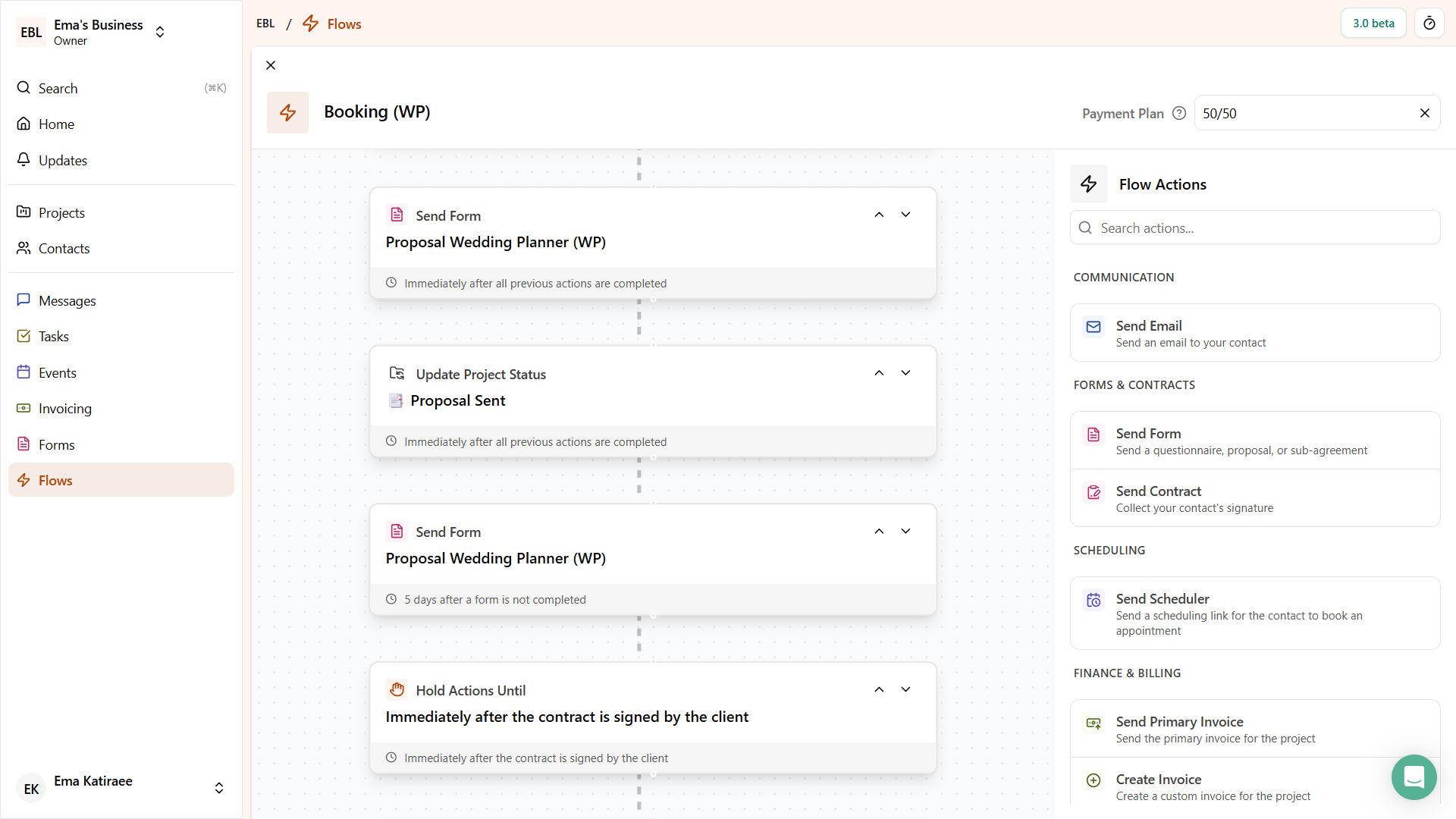
Dubsado 3.0 flow builder
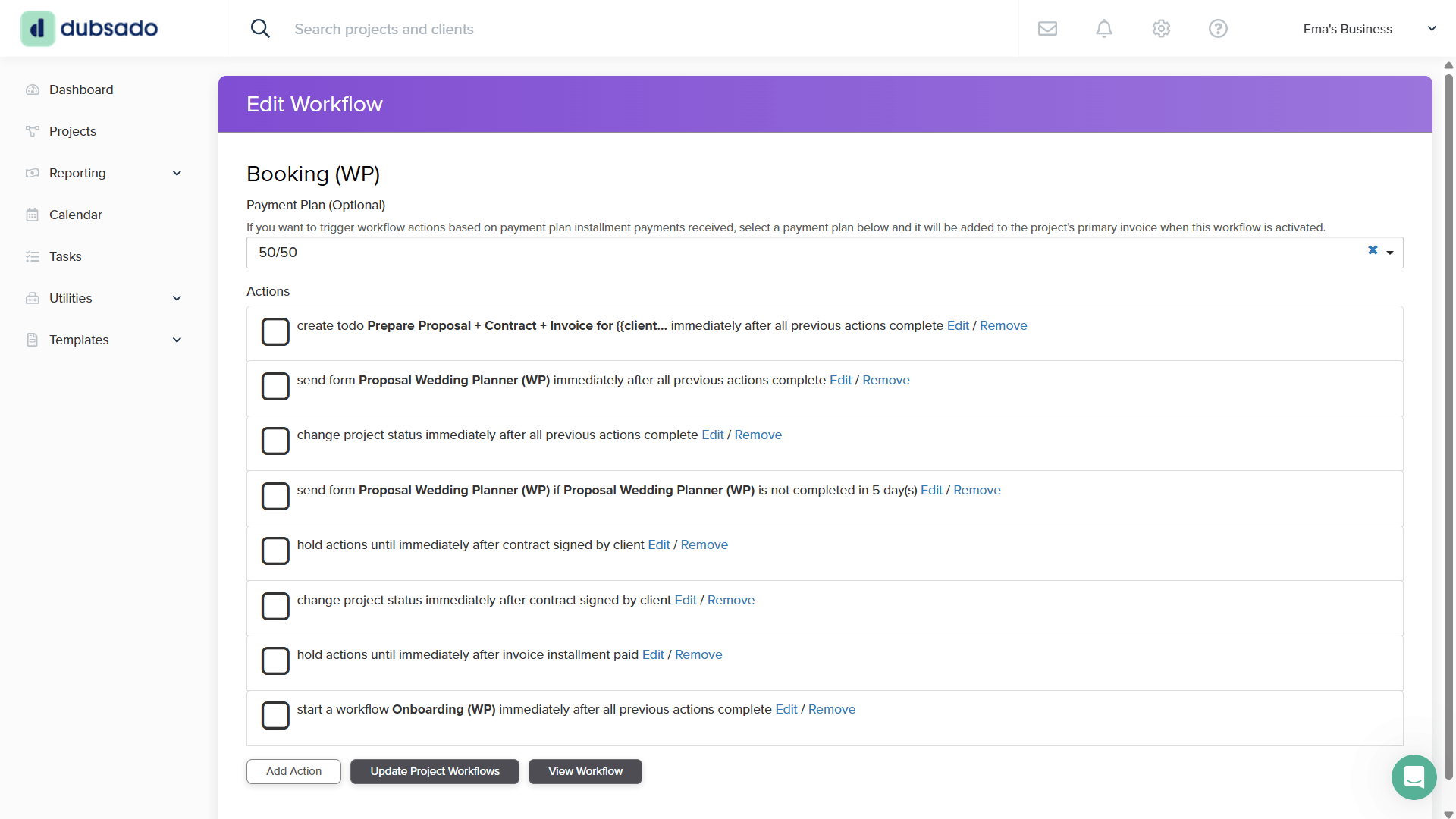
The same workflow in Dubsado 2.0
One thing that is genuinely better in 3.0 is how editing works. In 2.0, you had to click an action to open it in a popup, make your changes, and then close it. In 3.0, the action opens in a side panel that stays open while you work. It's a smoother experience and removes a step that always felt a bit clunky.
A couple of other small improvements: the pause and resume controls inside project workflows are now clearly labeled at the top of the flow. In 2.0 the wording was vague enough to make you second-guess yourself. "Archive workflow" has been replaced with "delete", which is much clearer about what actually happens when you click it.
What's Worth Knowing
The reason Dubsado moved to a node-based builder is because conditional logic and branches are on their roadmap, and a visual canvas is the right foundation for that kind of feature. But moving to the new builder doesn't mean that feature is here yet. It's been on the roadmap for a long time, and there's no clear timeline for when it will actually arrive. For now, the node-based builder is the foundation they're building toward, not the finished product.
In 2.0, the list format was compact and easy to scan. You could see your entire workflow at a glance. In 3.0, the nodes are large which means you see fewer steps at once and lose that overview. The canvas doesn't zoom in and out, so you can't pull back to see the full picture.
Compare that to HoneyBook's automation builder. The nodes are compact, the canvas is spacious, you can zoom in and out freely, and you can see your entire automation at once. It's a significantly better experience and a good reference point for where Dubsado's flow builder could go.
Dubsado 3.0 flow builder
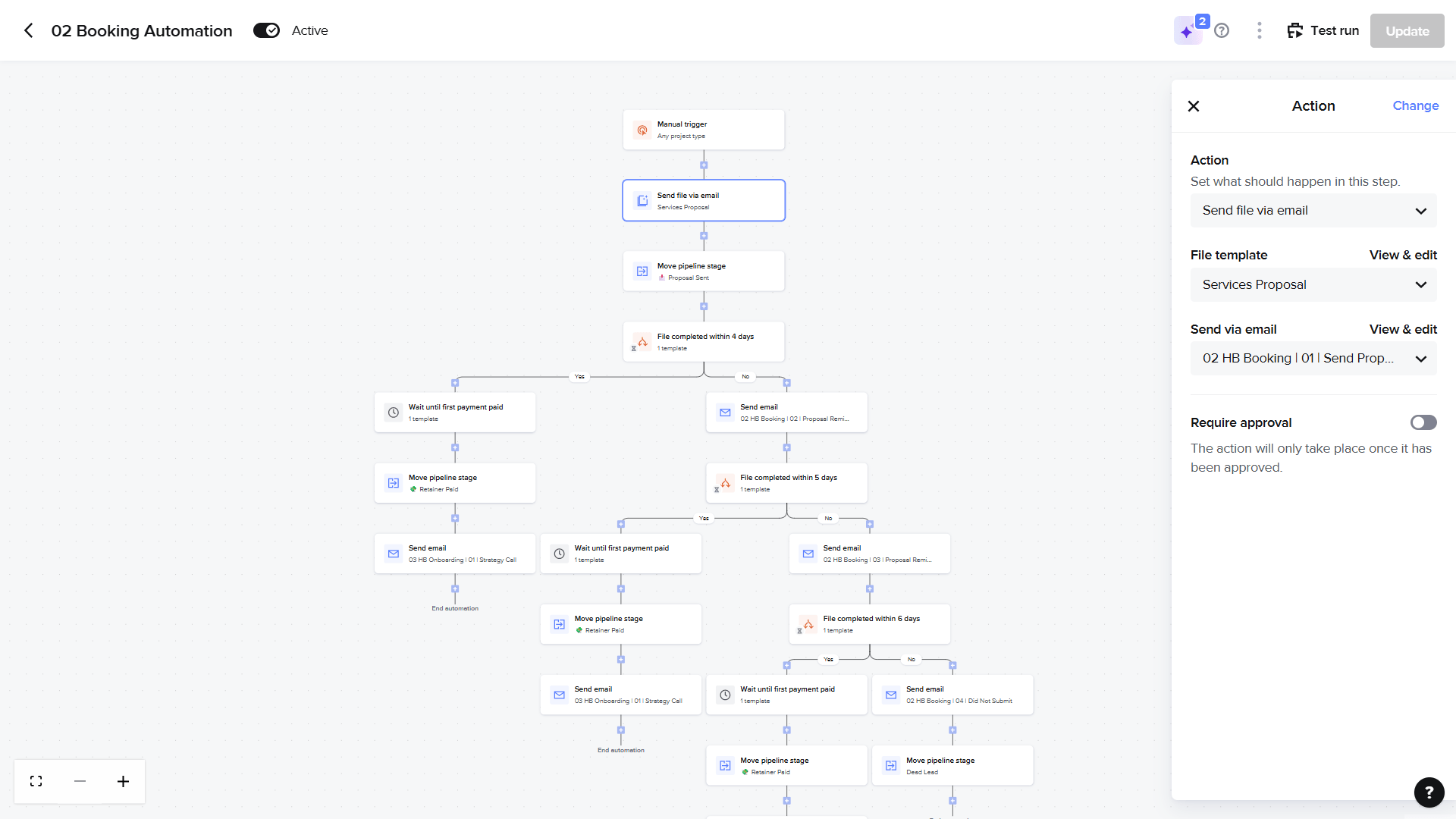
HoneyBook automation builder
The canned email selection is another friction point worth knowing about before you run into it. When you add an email action in 3.0, what you see looks like a generic email display. To select one of your canned email templates, you need to find a small icon inside the email builder. It's not obvious the first time, and it slows you down unnecessarily.
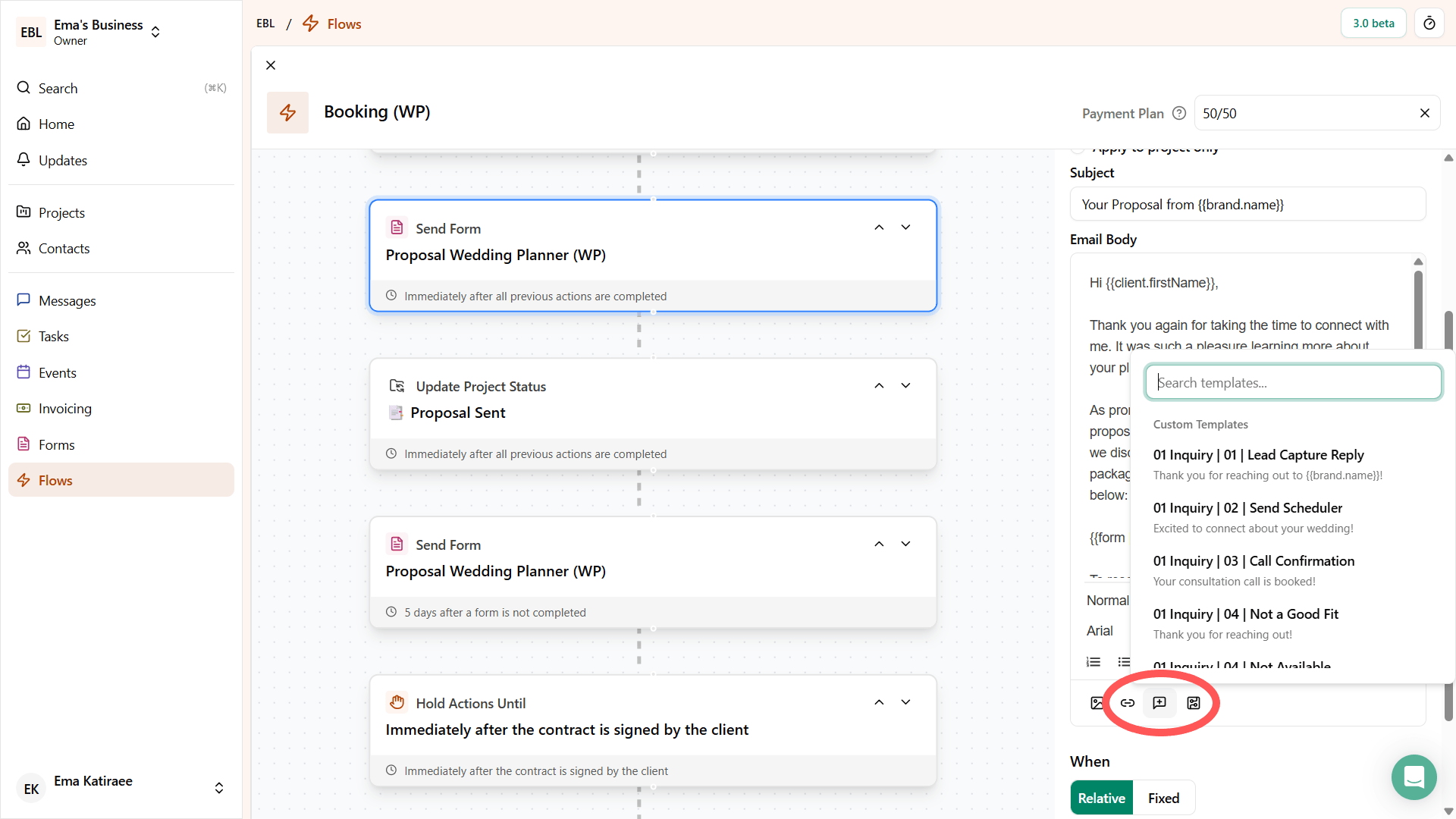
Where to select canned emails inside of Dubsado flows
Getting Started in 3.0
If you're feeling uncertain about the new interface, that's completely normal. The logic you already know from building in 2.0 translates directly, and the editing experience is better once you get used to it. Give yourself some time to explore, find the canned email selector, and get a feel for how the canvas works. It'll start to feel familiar faster than you expect.
And if you're running into issues where your flows aren't behaving the way you expected, it might be worth reading Signs Your Dubsado Setup Isn't Working to figure out what's going on.