
Building a Wedding Client Experience in Dubsado From Inquiry to “I Do”
By Ema Katiraee, Certified Dubsado Specialist
Creating a streamlined wedding client experience in Dubsado allows you to work with couples through every stage of planning with ease. Instead of juggling emails, forms, and sending out reminders manually, you can rely on workflows that support both you and your clients from the very first inquiry to long after the wedding day.
Dubsado works really well for wedding planners because it allows you to automate your process while still delivering a high touch experience. If you’re new to using it in your business as a wedding pro, this guide to Dubsado for wedding planners is a helpful place to start.
In this post, I’ll walk you through how to build a wedding client experience in Dubsado, so your process feels professional, clear and easy to manage.
How to Build a Wedding Client Experience in Dubsado
To build a wedding client experience in Dubsado, follow these steps:
Map out your full client journey (you can use paper or a digital document)
Break that journey into clear phases
Build your templates in Dubsado (aka: forms, proposals, contracts, and emails)
Connect everything by building workflows and test out your process
When done correctly, this creates a great experience for your couples from inquiry to “I do.”
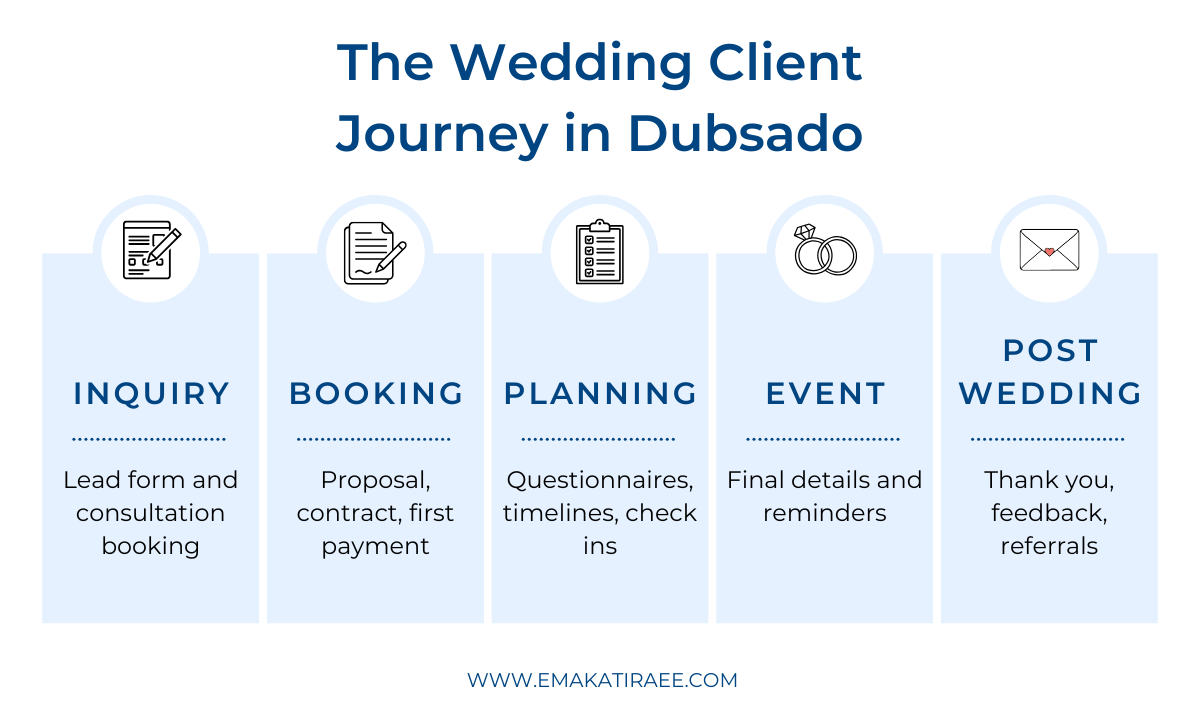
A high level view of the wedding client experience, from first inquiry through the post-wedding stage
Why Building a Wedding Client Experience Matters
Wedding planning involves so many moving parts. While every couple is unique, the overall process you take them through is often very similar. When your process is clearly defined, you reduce mistakes, eliminate confusion, and make sure that every client feels supported.
Once your process is mapped out, Dubsado allows you to automate key points. A lot of wedding planners are surprised by how much of their client communication can be streamlined - see 5 things wedding planners can automate with Dubsado for specific examples.
A well designed wedding client experience in Dubsado helps you:
Deliver a consistent and professional experience for every couple
Save hours of administrative work each week
Feel confident knowing nothing is being missed
For your couples, their wedding is a once in a lifetime experience. A streamlined system frees you up to spend less time on admin and more time supporting them through the planning journey.
Step 1: Map the Journey on Paper
Before opening Dubsado, start with pen and paper, a whiteboard, or a Google Doc. Write down every step your clients go through from start to finish.
Ask yourself?
How do inquiries come in?
What questions do you want them to answer at the very start?
What happens after the consultation?
When do you send proposals, contracts, and invoices?
What questionnaires, calls, or planning tools do you use?
What communication happens after the wedding?
This step brings clarity and often highlights areas where your process could be improved or simplified.
💡 Tip: Don’t worry about making it perfect. The goal is to get everything out of your head and onto paper.
Step 2: Break the Journey into Clear Phases
Once your full process is mapped out, break it into natural phases. This makes building workflows in Dubsado much easier.
For most wedding planners, the client journey includes the following phases:
Inquiry Phase – The couple reaches out through your website. If you are available on their wedding date, you send them a consultation scheduler. If you want ideas for how this can look in practice, this post on Dubsado workflows every wedding planner should have shows real examples.
Booking Phase – They receive your proposal, sign the contract, and submit their first payment. Structuring this phase well is critical for conversions and clarity.
Planning Phase – You onboard the couple, collect planning details, and guide them through questionnaires, vendor coordination, and timeline reviews.
Event Phase – Final details are confirmed and reminder emails are sent leading up to the wedding. This can sometimes be combined with the planning workflow.
Offboarding Phase – You thank them, request feedback, and stay connected after the wedding.
Each of these phases typically becomes its own workflow inside Dubsado.
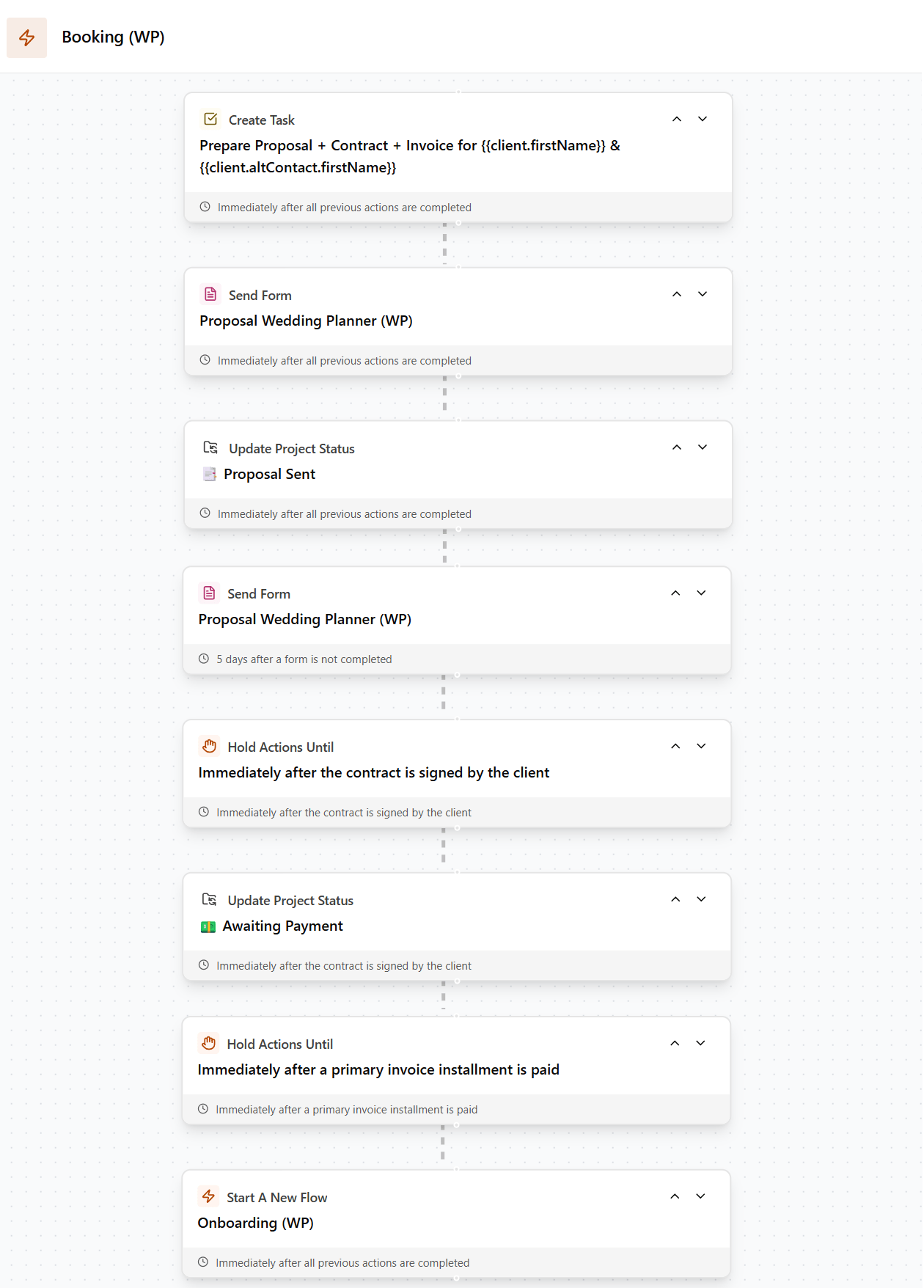
Each phase of the client journey is supported by its own workflow inside Dubsado, making it easy to guide couples through planning without missing steps.
Step 3: Build Your Assets in Dubsado
With your phases defined, it’s time to build the template that are needed for your wedding planning workflows.
In Dubsado, this usually includes:
Lead capture forms for website inquiries
Schedulers for consultations and planning calls
Packages with pricing and add-ons
Proposals to present package options
Contracts with your terms and conditions
Payment plans with automated reminders
Questionnaires for design details, timelines, and vendor information
Canned emails for every stage of the process
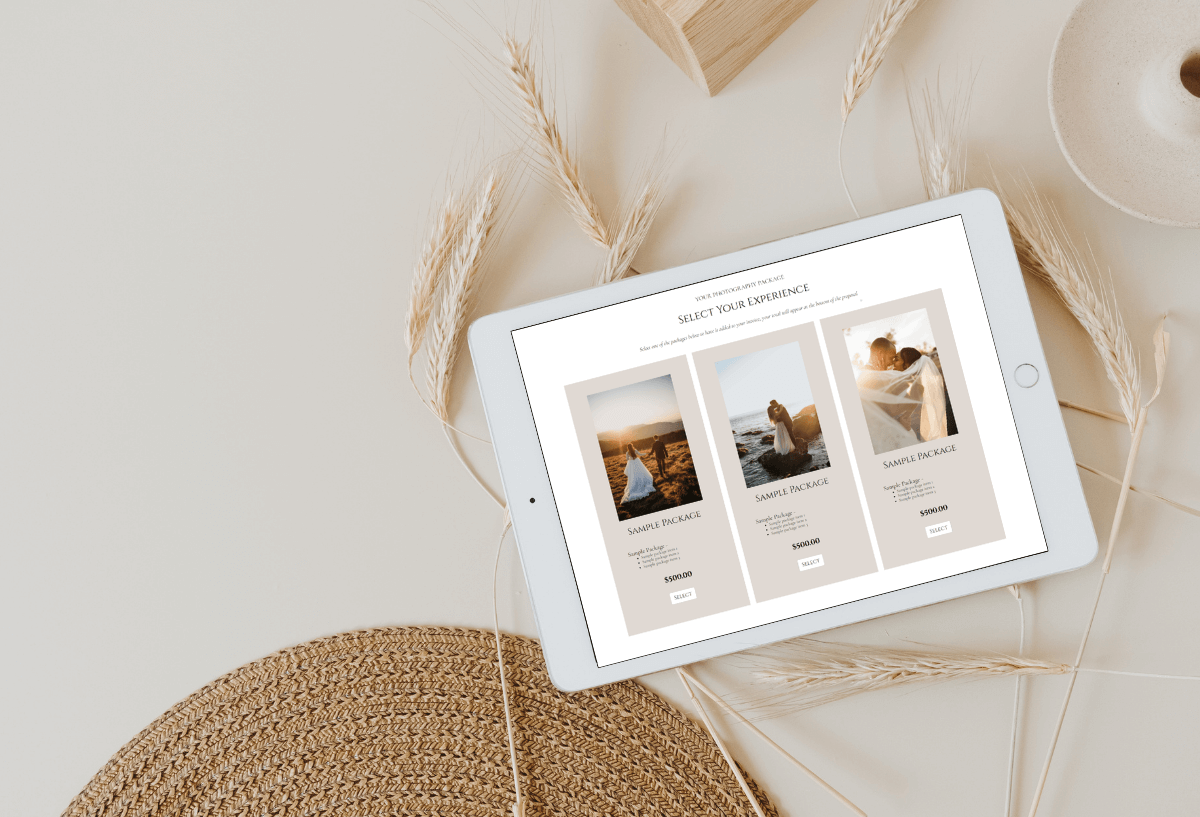
Proposals in Dubsado allow couples to review services, sign contracts, and submit payments in one seamless step.
If you are building or refining your packages, this guide on how to build packages in Dubsado will come in handy. When it comes to proposals, choosing the right format matters, and this comparison of Dubsado package proposals vs quote like proposals can help you decide.
Each of these assets plays a specific role in automating your wedding client experience and ensuring couples receive the right information at the right time. Think of them as puzzle pieces that will come together later, using workflows.
Step 4: Build and Test Your Workflows
Once your assets are ready, connect them using workflows that run in the background.
For example:
An inquiry workflow that sends a consultation scheduler after a lead form is submitted
A booking workflow that delivers the proposal, contract, and invoice in one seamless flow
A planning workflow that automates questionnaires, check in calls, and reminder emails
An offboarding workflow that sends a thank you message and requests a testimonial
Workflow triggers are key at this stage. Some workflows should start automatically when a form is submitted or triggered by the previous workflow, while others are best applied manually once a couple books or moves into a new planning phase.
💡 Tip: Always test your workflows before using them with real clients. Create a sample project using your own email address and go through the entire process. This helps catch information that might be missing, or steps that feel out of order.
TL;DR
Map out your wedding client journey on paper (or a Google Doc) first
Break the journey into inquiry, booking, planning, event, and offboarding phases
Build your forms, proposals, contracts, payment plans, schedulers, and canned emails in Dubsado
Connect everything with workflows and test thoroughly
A well built wedding client experience in Dubsado saves you time while supporting your couples from first contact to their wedding day.
Frequently Asked Questions
Can Dubsado handle the entire wedding planning process?
Yes. Dubsado can manage inquiries, proposals, contracts, payments, questionnaires, planning communication, and offboarding when workflows are built correctly.
How many workflows does a wedding planner need in Dubsado?
Most wedding planners use multiple workflows - each for a different phase of the client journey. Separating workflows by phase makes them easier to manage and update over time.
Do I need different workflows for different wedding packages?
Often yes. If your packages include different levels of service, separate workflows ensure couples receive the correct emails, questionnaires, and reminders (e.g. full planning vs. partial planning).
Is Dubsado suitable for high touch wedding planners?
Absolutely. Automation removes repetitive admin tasks so you can focus more on your clients, not less.
What would your client experience look like if it actually ran itself?
Your client experience should feel seamless - for you and your couples. Take the free quiz to find out where things stand and what to do about it.
Work With a Certified Dubsado Specialist
Building a wedding client experience in Dubsado is one of the best investments you can make in your business. A well designed system ensures your couples feel supported while giving you clarity and control behind the scenes.
For a complete overview of what Dubsado can do for your wedding planning business, read Dubsado for Wedding Planners: The Complete Guide.
If you want help building or refining your workflows, this wedding planner Dubsado case study shows how a real planner’s system came together.
If you are ready to streamline your wedding planning process and want expert help building it in Dubsado, I would love to work with you.
Book a free Discovery Call today and let’s design a Dubsado setup that saves you time and delivers a stress free experience for you and your couples.
Get 30% off your first month or year of Dubsado with my code EMAKATIRAEE.