
By Ema Katiraee, Certified Dubsado Specialist
TL;DR: A client offboarding workflow in Dubsado makes sure every client gets the same experience at the end of a project, without you having to remember each step. Feedback and testimonial requests go out every time, with a reminder if the form isn’t submitted, so you end up collecting more of them. The same flow checks in with clients during the support period and invites them back later, so no one slips through the cracks once the work is done.
Most service providers put a lot of thought into onboarding. Client offboarding usually gets less attention. The project ends, the last invoice is paid, and the client doesn’t hear from you again.
The end of a project is when your client is happiest with your work, so it’s the best time to ask for feedback, a review or a referral, and to let them know how you can help next. In this post, I’ll walk you through the offboarding workflow I recommend in Dubsado, step by step.
If you haven’t set up your onboarding yet, start with How to Automate Your Client Onboarding Process with Dubsado.
Why Does Client Offboarding Matter?
A clear offboarding process:
Tells your client the project is complete and what happens next
Collects feedback while the experience is fresh
Gives you testimonials and reviews for your website and social platforms
Keeps you top of mind, so past clients come back and refer others
Keeps your Dubsado account organized, so past clients are easy to find
Where offboarding usually falls flat
When I review setups, I see three common problems. There’s no offboarding at all, because it relies on the business owner remembering to do it. When they do remember, the feedback form goes out weeks later, after the client has moved on. Or there’s no follow-up, so the form sits there unanswered.
What Should a Dubsado Offboarding Workflow Include?
Here’s the flow I’d start from. Adjust the timing to your business. A photographer’s offboarding might start after the gallery is delivered, and a coach’s after the last session.
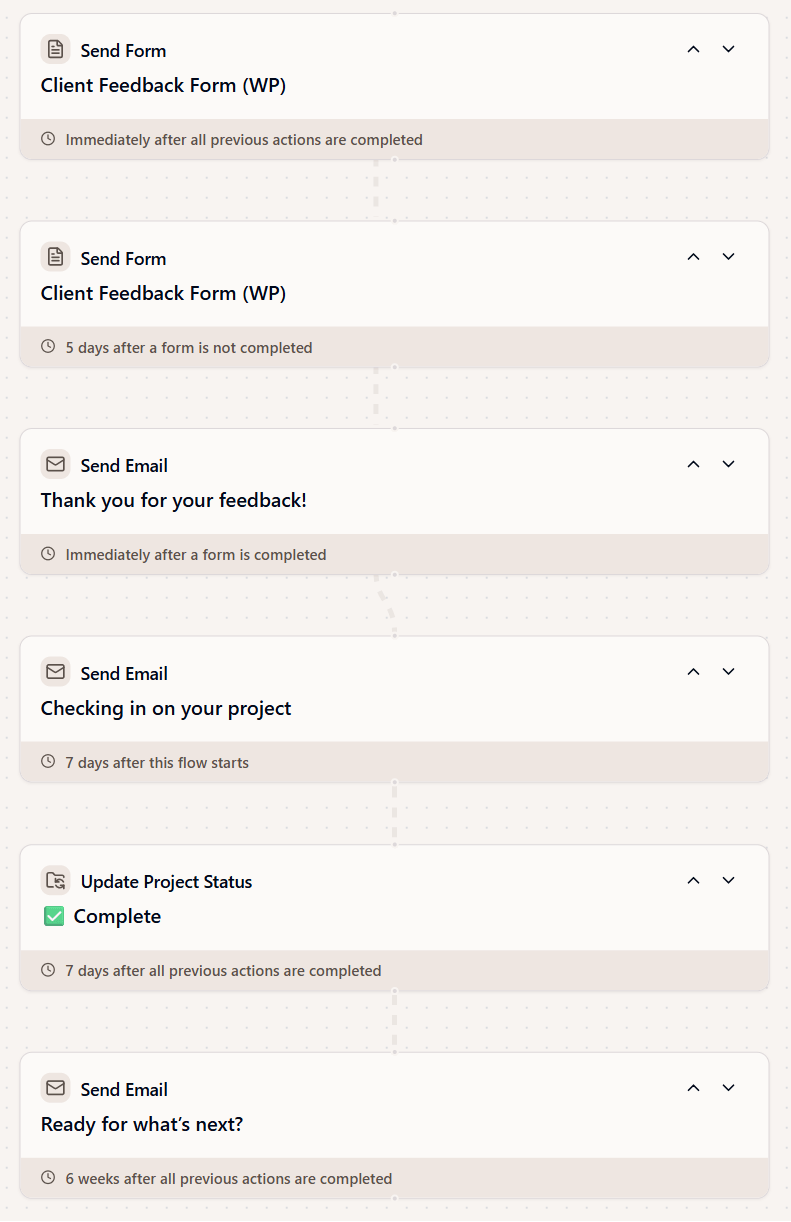
Client offboarding flow in Dubsado
Step 1: Send a Thank-You Email With Your Feedback Form
The first email thanks your client and lets them know the project is complete. It can include:
A thank-you that’s specific to their project
A short note on what was delivered and where to find it, like a link to a deliverables folder in Google Drive
A link to your feedback form
Inside the feedback form:
Ask what worked well and what could be better
Include a testimonial question, with permission to share it on your website
Add your Google review link, so they can leave a review once they’re done. They can even copy and paste the testimonial they just wrote straight into Google
Tip: Keep the form short. A few questions get more replies than a long survey.
For the full form setup, see How to Collect Client Testimonials and Feedback with Dubsado.
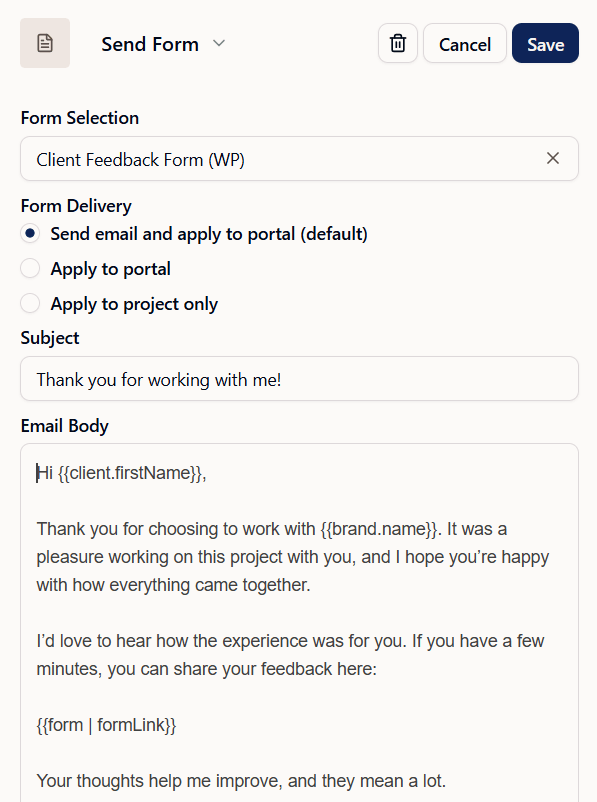
Send a thank-you email with a link to your feedback form
Step 2: Follow Up If the Form Isn’t Submitted
A few days later, send a short reminder if the feedback form still hasn’t been submitted.
Set it to send only if the form is incomplete, so clients who already replied don’t get it
Keep it to a line or two, with the form link again
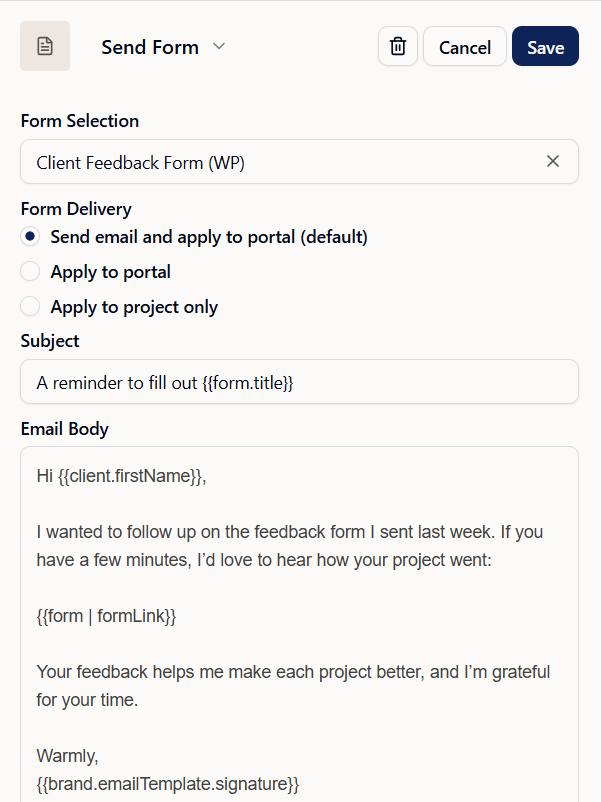
Send a reminder if the feedback form isn’t submitted
Step 3: Send a Thank-You Once the Feedback Is In
Once the form is submitted, send a final thank-you email.
Trigger it “when form is submitted”
Thank them for taking the time to share their feedback
Let them know how to reach you if they need anything
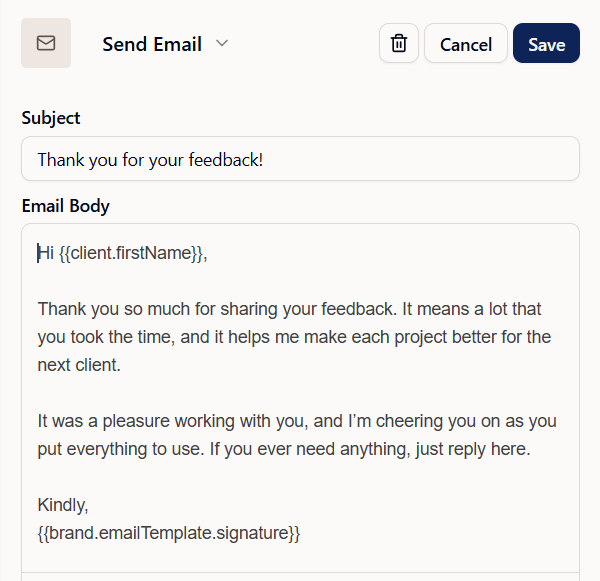
Thank your client once their feedback is submitted
Step 4: Check In During the Support Period
If you offer support after the project ends, send a check-in partway through.
Ask how things are going and whether they have questions
Remind them how to request changes, whether that’s by email, through a form or by booking a call
Let them know when their support period ends. A custom mapped field works well for the date
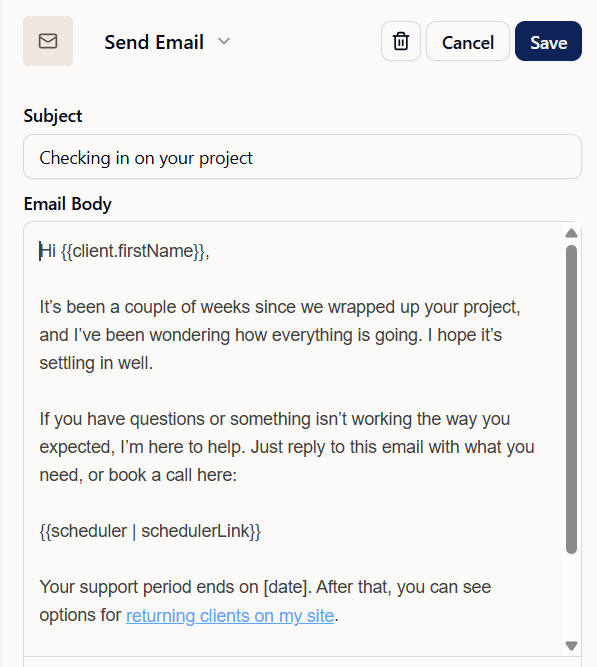
Check in with your client during the support period
Step 5: Close Out the Project
Once support ends, tidy up the project so your dashboard stays clean.
Change the project status to ‘Complete’
Archive the project if you no longer need it in your active list (additional step)
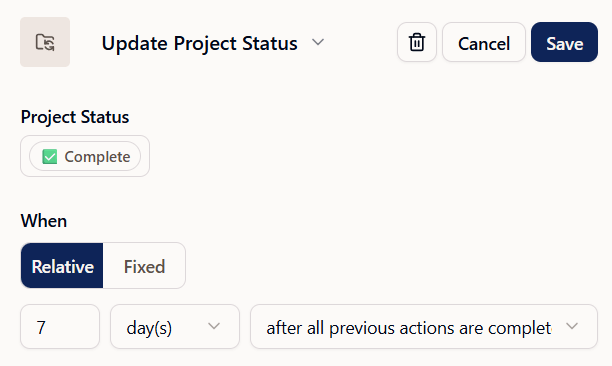
Update the project status
Step 6: Invite Them to Work With You Again
A few weeks or months later, send an email inviting your client back.
Share the one or two services that make sense for returning clients
Ask for referrals, if that fits your business
Time it to your industry: an anniversary for wedding clients, or a few months later for coaching clients
Tip: Lead with one clear next step instead of listing every service you offer.
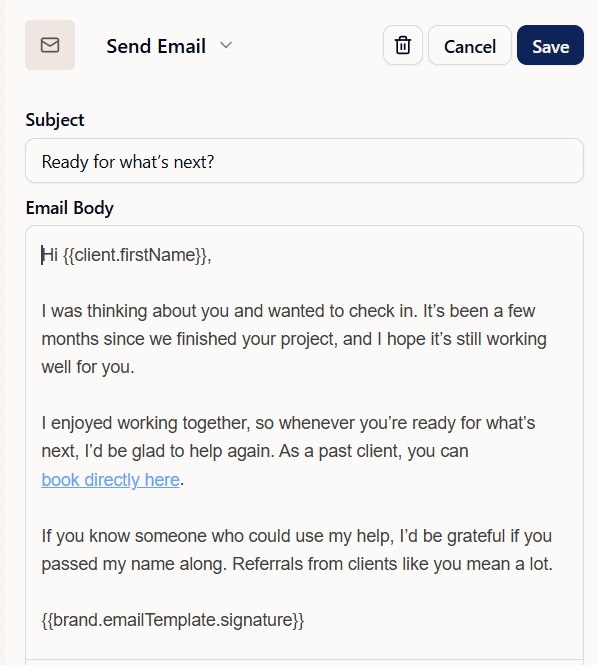
Invite past clients to work with you again
How Do You Start an Offboarding Workflow in Dubsado?
Automatically:
Add a Start a New Flow action at the end of your project flow, so offboarding begins once the last step is done, like an offboarding call or a final email
Or start the first email “after project end date” if you set end dates on your projects (like weddings)
Manually:
If a project doesn’t follow a set flow or end date, start the offboarding flow yourself:
Go to the clients project
Go to the Flows tab
Click Start a Flow and select the offboarding flow from the dropdown menu
Click Start flow
FAQ
What is client offboarding?
Client offboarding is how you wrap up a project: confirming the work is complete, collecting feedback, and setting up what comes next.
When should offboarding start?
As soon as the project is done. That might be after the final deliverable is handed over, after your offboarding call, or after the event itself, like a wedding day. Starting right away means your client gets the feedback form while the project is still fresh.
Can I automate the whole thing?
Yes. Each service usually has its own flow, so add a Start a New Flow action at the end of each one to start that service’s offboarding flow automatically. If you offboard all your services the same way, they can all start the same offboarding flow.
When should I ask for a review?
Within a few days of finishing the project, while your client still remembers the details. If the project ends with a call or a handover, the same day works well, since the request comes with your thank-you. For events like weddings, give your clients a little time to settle in first.
Want Your Offboarding Built for You?
Offboarding is one of the easiest parts of a client process to skip and one of the most rewarding to get right. In every Dubsado setup I build, it’s set up from start to finish, with your emails written, your feedback form ready and everything starting automatically once a project is done.
If you’d rather have it handled for you, take a look at my done-for-you Dubsado setup or book a free discovery call to get started.