
5 Things Wedding Planners Can Automate with Dubsado

By Ema Katiraee, Certified Dubsado Specialist
TL;DR: If you're still manually sending every email, chasing every payment, and following up with every couple yourself, your Dubsado setup isn't actually set up. Here are five things wedding planners can automate in Dubsado, and exactly how to set each one up.
Wedding planning is not a low-admin business. Between inquiries, consultations, proposals, contracts, payments, questionnaires, planning calls, and post-wedding follow-ups, the backend of your business can easily start to feel like a second job.
Most wedding planners who come to me are already using Dubsado in some form. They're sending proposals, maybe using contracts. But the automation piece, the part where Dubsado actually runs tasks for you without you triggering them manually, is either partially built or not built at all.
That's where the time savings are. And for a business where you're managing multiple couples at different stages of the planning process simultaneously, those savings compound quickly.
Here are five things a properly built Dubsado setup handles for you.
This post contains affiliate links. If you click through and make a purchase, I may earn a small commission at no extra cost to you. I only recommend tools I genuinely use and believe in.
Watch: 5 Things Wedding Planners Can Automate with Dubsado
Prefer to watch instead of read? This video walks through all five automations covered in this post.
What is Dubsado?
Dubsado is a client relationship management (CRM) tool designed to simplify your business systems. For wedding planners, it handles the admin work that tends to pile up: sending forms, contracts, emails, invoices, and reminders, all without you having to trigger each one manually.
What makes it stand out is how customizable it is. You can build it around your specific process and packages, so it works the way your business actually works.
If you've already signed up but feel stuck on setup, the examples below will show you exactly what's possible.
1. Inquiry Responses
When a lead fills out your inquiry form, a lot needs to happen quickly. They need to hear back from you, ideally with enough information to decide whether to book a call. If they don't hear back promptly, they move on to the next planner.
Without automation, that response depends entirely on you being available. Which means if an inquiry comes in on a Saturday while you're at a venue walkthrough, it might sit until Monday.
With a properly built inquiry workflow, the moment someone submits your form they receive an automated response with everything they need. Your availability for consultations, your services, your pricing, next steps. A follow-up goes out automatically if they haven't booked a call after a few days. Leads stop falling through the cracks not because you got better at checking your inbox, but because the system handles it.
Mary Kate of MK Your Dream Day put it well: before her setup, she felt pressure to jump on her computer the moment an inquiry came in, especially on weekends. When one of her reels went viral and inquiries flooded in, her Dubsado setup handled every single one automatically. Her team didn't have to scramble.
How to Set This Up in Dubsado:
Create a lead capture form with key questions (wedding date, location, planning needs)
Build an inquiry workflow that sends an automatic email with your scheduler link
Add a follow-up email if they haven't booked a consultation within a few days
Pause the workflow once a consultation is scheduled
Embed the lead capture form on your website or share the direct link
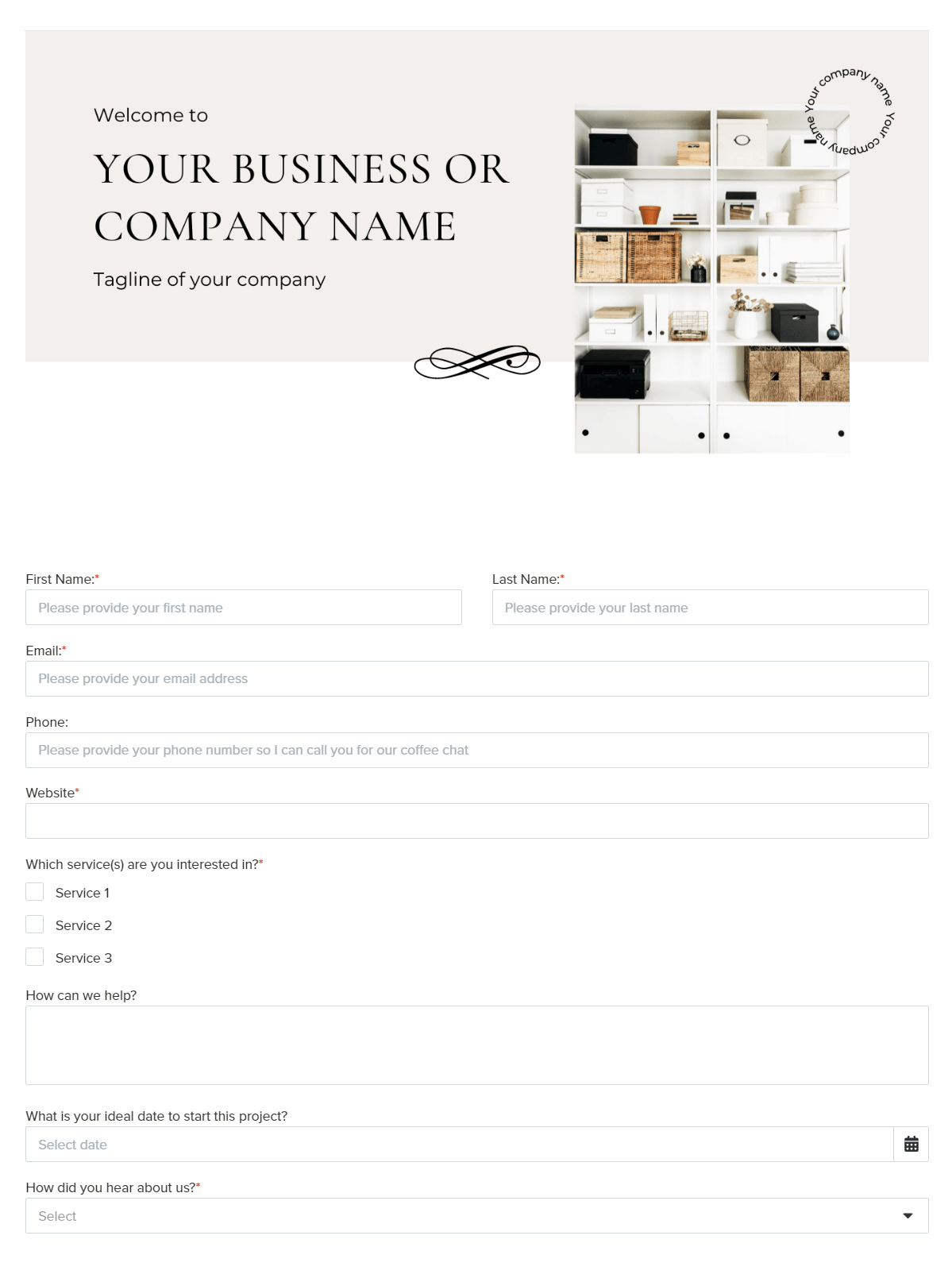
Example of a lead capture form in Dubsado
2. Consultation Scheduling
No more back-and-forth emails trying to find a time to meet. With Dubsado's built-in scheduler, couples book directly into your calendar based on your actual availability.
You can:
Sync with your calendar so nothing double-books
Send automatic confirmation and reminder emails
Drop the scheduler link into your inquiry workflow or add it to your website
This makes it easy for potential clients to get on your calendar without the email tennis.
How to Set This Up in Dubsado:
Create a scheduler and set your available time slots
Add automated confirmation and reminder emails (24-48 hours before the call)
Link the scheduler inside your inquiry workflow

The Dubsado scheduler - couples book directly into your calendar
3. Proposals, Contracts, and Invoices
The traditional booking process for most wedding planners looks something like this: send the proposal, wait for it to be reviewed, send the contract, wait for it to be signed, send the invoice, wait for payment. Each step requires you to monitor, follow up, and trigger the next action manually.
A 3-in-1 proposal changes that entirely. Your potential client receives one link that takes them through package selection, contract signing, and payment in a single seamless flow. If they haven't completed it after a few days, a follow-up goes out automatically. Once everything is done, their onboarding starts without you lifting a finger.
That's not just time saved. It's also a better experience for your couples, and a more professional one.
How to Set This Up in Dubsado:
Create your packages and payment plans.
Build a proposal form that includes your services.
Bundle the contract and invoice in the proposal settings
Add the proposal to a booking workflow with a follow-up reminder if it's not completed within a few days
Hold further workflow actions until the contract is signed and payment is made
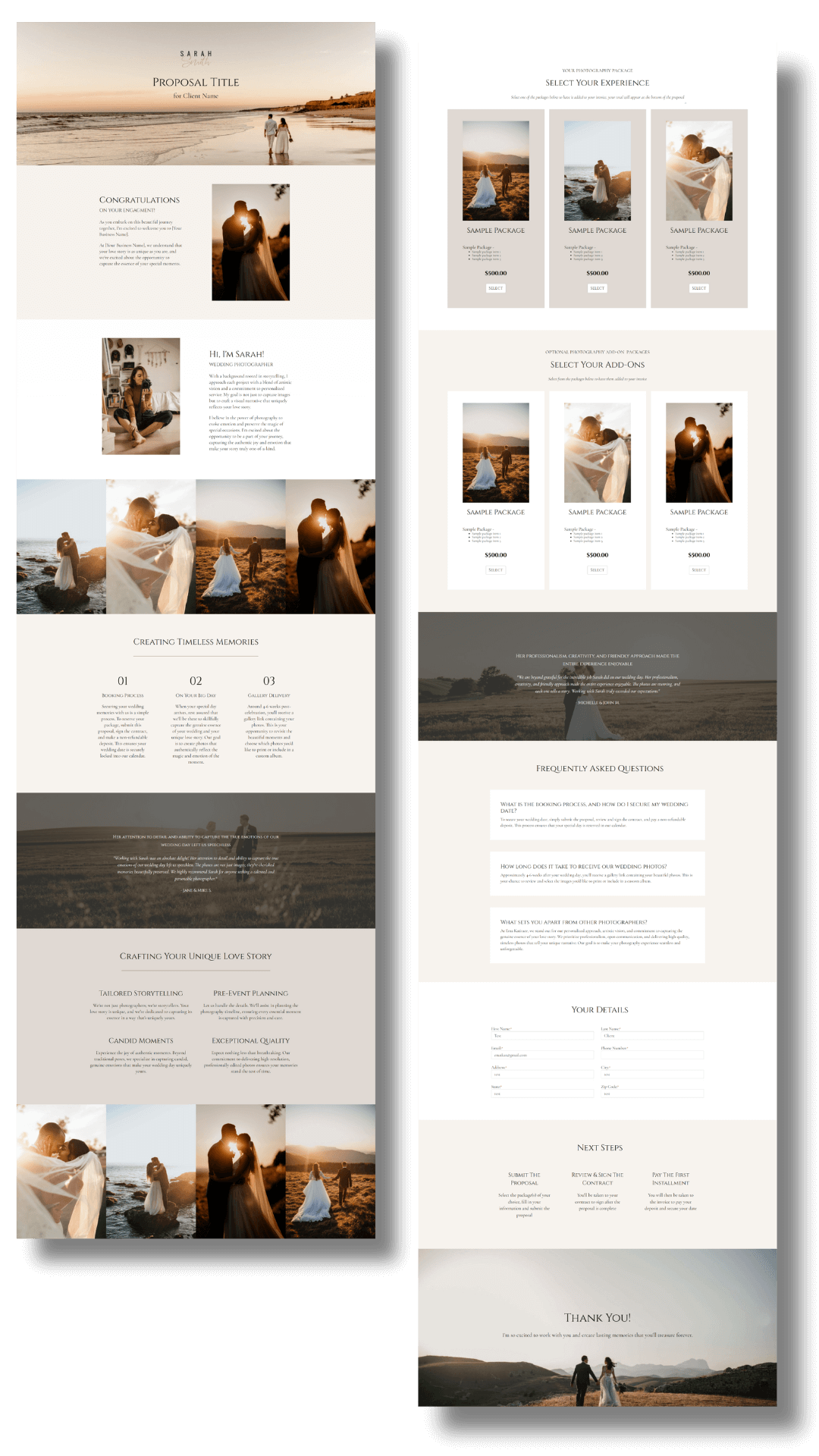
Example of a Dubsado proposal — toggle on contract and invoice in the form settings and it becomes a 3-in-1
4. Client Onboarding & Questionnaires
One of the most time-consuming parts of wedding planning is staying in regular contact with couples throughout the planning process. Welcome emails, questionnaire reminders, planning call links, timeline requests, check-ins as the wedding date approaches. Each touchpoint is important, and each one takes time to send when done manually.
With automated workflows, all of it goes out on schedule based on the wedding date. A welcome email goes out the moment they book. Their planning questionnaire follows a few days later with an automatic reminder if it hasn't been completed. Check-ins go out at the right milestones without you having to track where each couple is in the process.
As Haley of Pembroke Lane Events described it, she no longer has to worry about manually managing inquiries, contracts, and payments. Everything runs in the background while she focuses on planning weddings.
How to Set This Up in Dubsado:
Write a welcome email and build your planning questionnaire.
Set up an onboarding workflow to send both automatically after booking.
Add a reminder email if the questionnaire isn’t completed.
Use smart fields to personalize emails without manual edits.

Example of a timeline questionnaire in Dubsado
5. Post-Wedding Follow-Up
Most wedding planners put a lot of thought into how a couple is welcomed when they book. The offboarding experience, what happens after the wedding, often gets less attention. But it's one of the highest-leverage parts of your client process.
A post-wedding workflow can automatically send a thank-you email, request a review, and follow up if one hasn't been left. Because the timing is built into the workflow relative to the wedding date, it goes out at exactly the right moment without you having to remember to send it.
The result is that more clients actually leave reviews, not because you got better at asking, but because the ask goes out consistently every single time. For a business where reputation and referrals drive a significant portion of new inquiries, that consistency compounds over time.
How to Set This Up in Dubsado:
Create a thank-you email and feedback request form
Schedule both to send shortly after the wedding date
Add a one-year anniversary email to keep the relationship going

Example of a post-wedding feedback form in Dubsado
What this all adds up to
This is where everything above adds up. When your inquiry process is automated, your booking is streamlined, your client communication runs on a schedule, your payments are handled, and your offboarding runs itself, the admin overhead per client drops significantly.
Which means you can take on more clients without your workload growing at the same rate. Your capacity increases not because you're working more hours, but because the repetitive tasks that used to fill those hours are being handled by your system.
Your backend finally reflects the level you're operating at. And the mental space that comes from knowing nothing is falling through the cracks is hard to overstate.
For a full overview of how Dubsado works for wedding planners, including what it does well and where it falls short, read Dubsado for Wedding Planners: The Complete Guide.
Frequently Asked Questions
Does Dubsado work for wedding planners specifically?
Yes, and it's particularly well-suited to the wedding planning business model because it supports date-based workflows. Tasks and reminders can be tied to the wedding date itself, so the right emails and questionnaires go out automatically as the date approaches, without you having to track each couple manually.
What parts of my process can actually be automated?
Most of the repetitive touchpoints: inquiry responses, booking follow-ups, welcome emails, questionnaire reminders, payment reminders, and post-wedding review requests. The parts that require your judgment, like reviewing a lead or customizing a proposal, stay with you.
What if my process looks different for each client?
Dubsado handles this well. You can build separate workflows for different service offerings, so a full-service planning client moves through a different process than a day-of coordination client. Each one is automated independently.
Do I need to be tech-savvy to use Dubsado once it's set up?
You don't need to be a tech expert, but you do need to be comfortable enough with the platform to use it day to day. Most wedding planners find that once everything is built and they've been walked through it, it's pretty straightforward to manage.
Can Dubsado connect to the other tools I already use?
Yes. Through Zapier, Dubsado can connect to a wide range of tools. If you're using something it doesn't handle natively, there's often a way to bridge the two.
Ready to Get Dubsado Working for You?
As a Certified Dubsado Specialist, I build custom setups for wedding planners, so you get a system built around your actual process, not a cookie-cutter template.
Book a free Discovery Call to find out if a Dubsado setup is the right next step.
Get 30% off your first month or year of Dubsado with code EMAKATIRAEE